##Install the Phrozen SDK on Linux
This article describes how to install the Phrozen SDK for the FOX Board LX832 on your Linux systems to cross-compiling
Phrozen SDK is a branch created by John Crispin of the [standard SDK written by Axis](http://developer.axis.com/wiki).
The lastest release available is freezed and not yet supported and implements the Linux Kernel 2.6.15 and 2.4.31.
Today the Phrozen SDK is available on this site only in of a Debian image for VMWARE running under a Windows XP PC.
* @h1='43'.
#Create a working image using Phrozen SDK
After you have installed the WMWare machine open a Linux sessione and Go to the directory devboard-R2_01:
# cd devboard-R2_01
And run the SDK configuration menu:
# make menuconfig
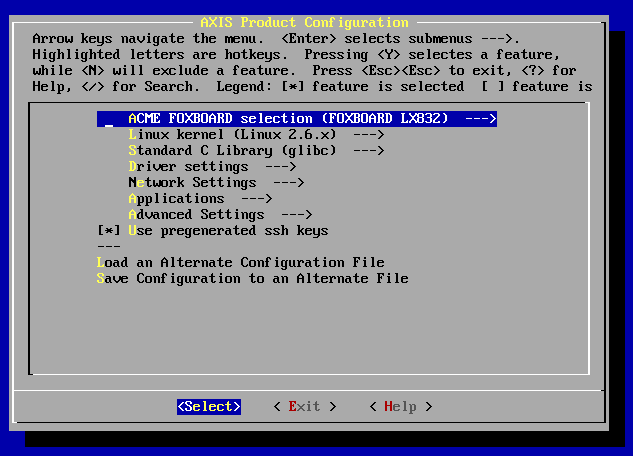 From this menu you can select a lot of things like your FOX Board type, the Kernel version, what drivers and
application you want to include on your final fimage.
To generate a new fimage just save and exit and type:
From this menu you can select a lot of things like your FOX Board type, the Kernel version, what drivers and
application you want to include on your final fimage.
To generate a new fimage just save and exit and type:
# ./configure
# make
After some minutes you will have your fimage file ready to program on the FOX Board flash memory.
To learn how to transfer a new flash image on the FOX Board flash memory read this article:
*
@h1='703'