How to manage BeeBoard from Matlab the Language of Technical Computing
If you need to use an environment for numerical and statistical analysis, you can put the bee in communication with Matlab software to drive the ADC, PWM and digital IO.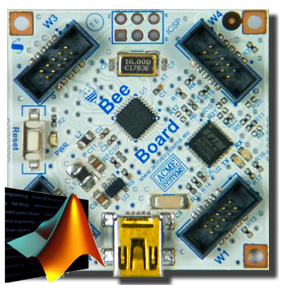 ## Install Arduino Matalb Software
* Download [Arduino Matlab Support Package](http://www.mathworks.it/academia/arduino-software/arduino-matlab.html)
* Run Matlab and change the current directory with the directory of the Arduino support package
* run install_arduino.m to add Arduino folder to the matlab path
## Install Arduino Matalb Software
* Download [Arduino Matlab Support Package](http://www.mathworks.it/academia/arduino-software/arduino-matlab.html)
* Run Matlab and change the current directory with the directory of the Arduino support package
* run install_arduino.m to add Arduino folder to the matlab path
 * run Arduino Software and open the sketch adiosrv.pde located to "ArduinoIO/pde/"
* Compile and upload code to BeeBoard
Now your Matlab environment is ready to work to the Bee over USB.
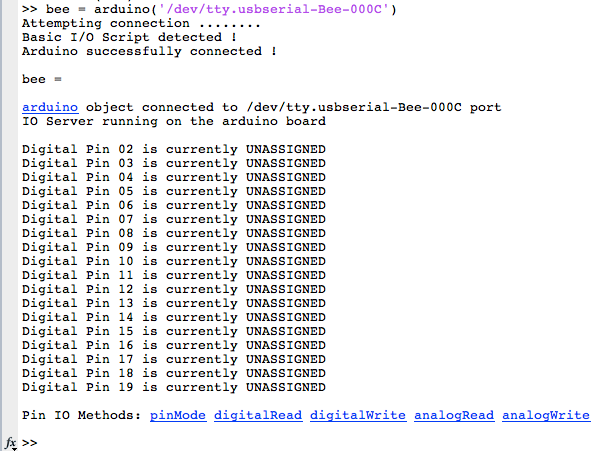
## Control your BEE Board over USB from a MATLAB
* run Arduino Software and open the sketch adiosrv.pde located to "ArduinoIO/pde/"
* Compile and upload code to BeeBoard
Now your Matlab environment is ready to work to the Bee over USB.
## Control your BEE Board over USB from a MATLAB



 ## Example: ADC Datalogger
Matlab function
datalogger.m
## Related links
* [Wikipedia Matlab definition](http://en.wikipedia.org/wiki/MATLAB)
* [Arduino Matlab Support Package](http://www.mathworks.it/academia/arduino-software/arduino-matlab.html)
* [BEE Board PINOUT](http://www.acmesystems.it/beeboard_pinout)
@shop='BEEBOARD'
@shop='BEEKIT-1'
@shop='BEEKIT-2'
## Example: ADC Datalogger
Matlab function
datalogger.m
## Related links
* [Wikipedia Matlab definition](http://en.wikipedia.org/wiki/MATLAB)
* [Arduino Matlab Support Package](http://www.mathworks.it/academia/arduino-software/arduino-matlab.html)
* [BEE Board PINOUT](http://www.acmesystems.it/beeboard_pinout)
@shop='BEEBOARD'
@shop='BEEKIT-1'
@shop='BEEKIT-2'