# Development boards for Acqua A5 SOM
### BERTA-A5-BASIC
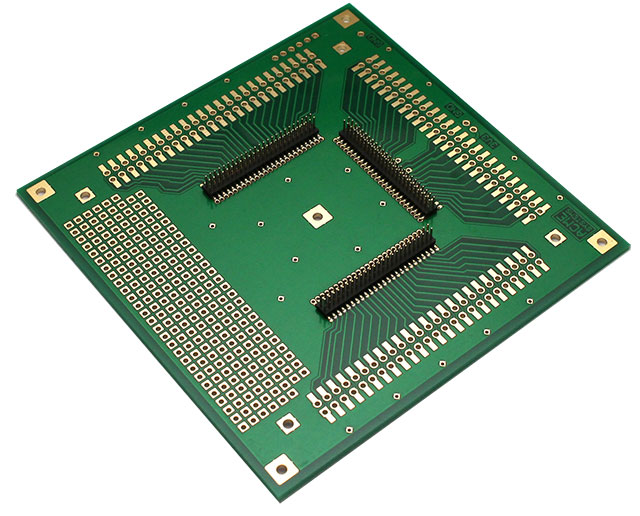
This is a simple passive breakout to use the [Acqua A5](/acqua) pins as
are on easy to manage 2.54mm pin strips.
### Features
* Placement for [Acqua A5 SoM](/acqua)
* All the Acqua lines are available on pads pitch 2.54 mm (100mils)
* DPI port placement
* Size 10x10 cm
@eshop='BERTA-A5-BASIC'
### BERTA-A5-EXT
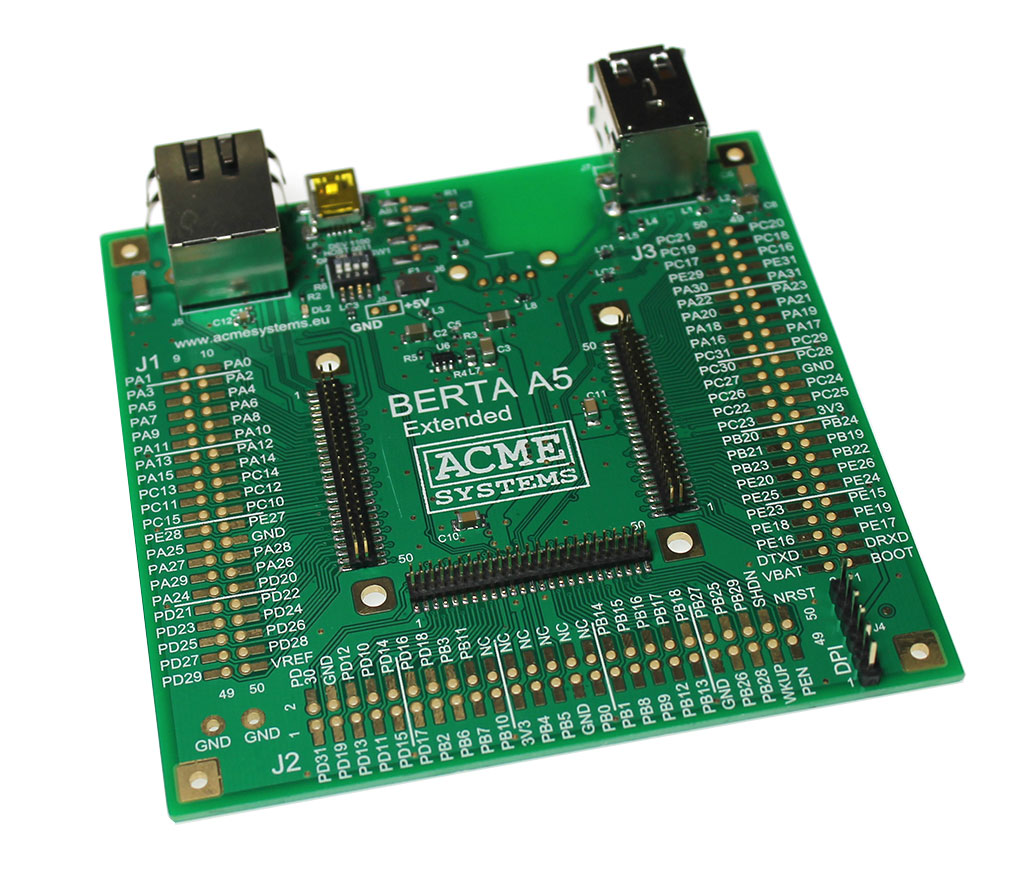
This board is a step over the BERTA-A5-BASIC providing the basic circuitries to
give the power-on and connections to the [Acqua A5 SOM](/acqua) maintaining
access to the highest number of Acqua pins.
### Features
* Ethernet 10/100
* 2 USB 2.0 host hi-speed port
* 1 USB 2.0 device hi-speed port or USB 2.0 host hi-speed port or placement
for a [WIFI-2 WiFi module](/WIFI-2).
* Power supply at 5 volt DC via miniUSB connector
* Placement for [Acqua A5 SoM](/acqua)
* All the Acqua lines not used by the on-board components are available
on pads pitch 2.54 mm (100mils)
* DPI port placement
* Size 10x10 cm
* [Schematic in pdf format](/download/schematics/schematic_berta_a5_ext.pdf)
* @article='acqua_getting_started'
@eshop='BERTA-A5-EXT'
### BERTA-A5-LCD Evaluation board
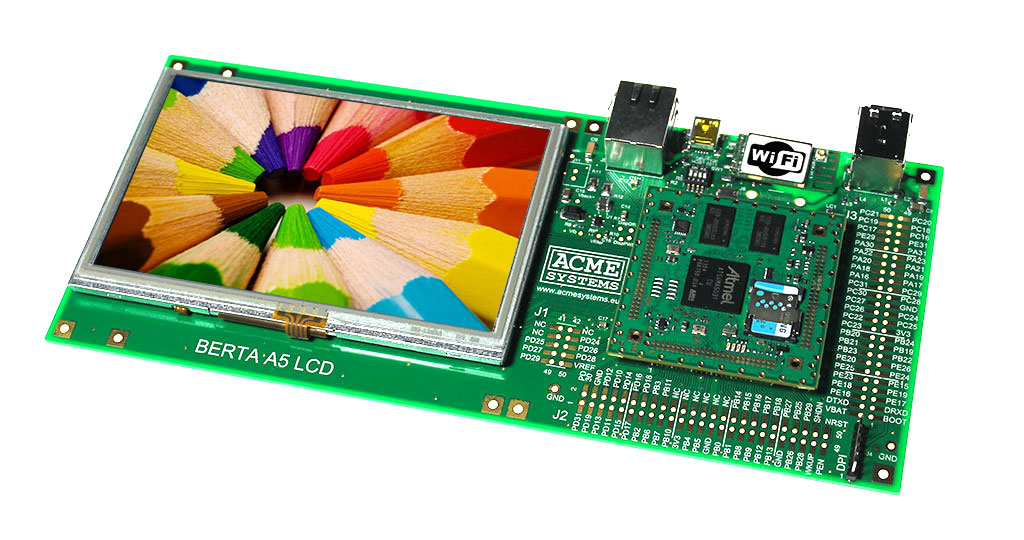
This is an further step to the previous development board adding the supporto for
TFT displays size 4.3", 5" and 7" inches with resistive touch
### Features
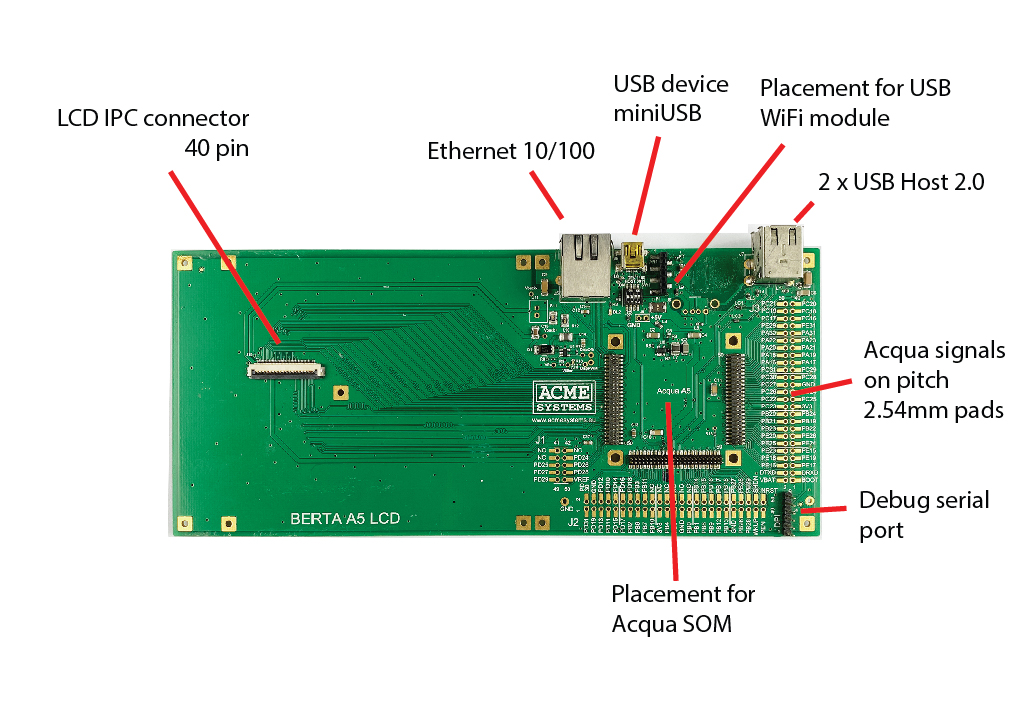
* Placement for a TFT LCD display size 4.3, 5.0 or 7.0 inches with resistive touch screen
* Ethernet port at 10/100 Mbps
* 2 USB 2.0 host hi-speed port
* 1 USB 2.0 device hi-speed port or USB 2.0 host hi-speed port or placement
for a [WIFI-2 WiFi module](/WIFI-2).
* MiniUSB power in
* Placement for [Acqua A5 SOM](/acqua)
* All the Acqua lines not used by the on-board components are available
on pads pitch 2.54 mm (100mils)
* DPI port placement
* Size: 10x25 cm
* @article='acqua_getting_started'
@eshop='BERTA-A5-LCD'
 ### DPI port pinout
All the Acqua development board have a DPI port. The pinout of this port is the pin-to-pin
compatible with the legacy DPI port of FOX Board. Actually the pin 1,2 and 5 are not used.
| 1 | 2 | 3 | 4 | 5 | 6 |
|-----|-----|-----|-----|----------|
| - | - | TXD | RXD | - | GND |
More info on DPI port is available on: @article='DPI'
Read this article to know how to use it:
* @article='acqua_getting_started'
### DIP switch configuration
| 1 | 2 | 3 | 4 | Function |
|-----|-----|-----|-----|----------|
| ON | ON | OFF | OFF | USB A lines on J8 microUSB port. In this way it is possible to access to RomBOOT code using [SAM-BA](/SAM-BA) or use the Linux Kernel USB gadget drivers|
| OFF | OFF | ON | ON | USB A lines on WiFi module |
### DPI port pinout
All the Acqua development board have a DPI port. The pinout of this port is the pin-to-pin
compatible with the legacy DPI port of FOX Board. Actually the pin 1,2 and 5 are not used.
| 1 | 2 | 3 | 4 | 5 | 6 |
|-----|-----|-----|-----|----------|
| - | - | TXD | RXD | - | GND |
More info on DPI port is available on: @article='DPI'
Read this article to know how to use it:
* @article='acqua_getting_started'
### DIP switch configuration
| 1 | 2 | 3 | 4 | Function |
|-----|-----|-----|-----|----------|
| ON | ON | OFF | OFF | USB A lines on J8 microUSB port. In this way it is possible to access to RomBOOT code using [SAM-BA](/SAM-BA) or use the Linux Kernel USB gadget drivers|
| OFF | OFF | ON | ON | USB A lines on WiFi module |