#Getting started with Acqua A5 and Berta dev boards
This article explains how to get started with Acqua A5 module using one of the Berta dev boards available
##What do you need to start ?
Acqua A5 is designed to be used on a carrier board. The following carriers are available
from the [Acme Systems eStore](/pricelist?category=acqua):
* [BERTA-A5-BASIC](/acqua#berta_a5_basic)
* [BERTA-A5-EXT](/acqua#berta_a5_ext)
If you are using a custom designed board you need at least the following parts:
* An USB to 3.3 volt serial adapter like @product='DPI' or @product='USB-3V-SER'
* A bootable Linux microSD made from one of this images: [MicroSD images for Acqua](/download_acqua)
##Getting started with BERTA-A5-EXT
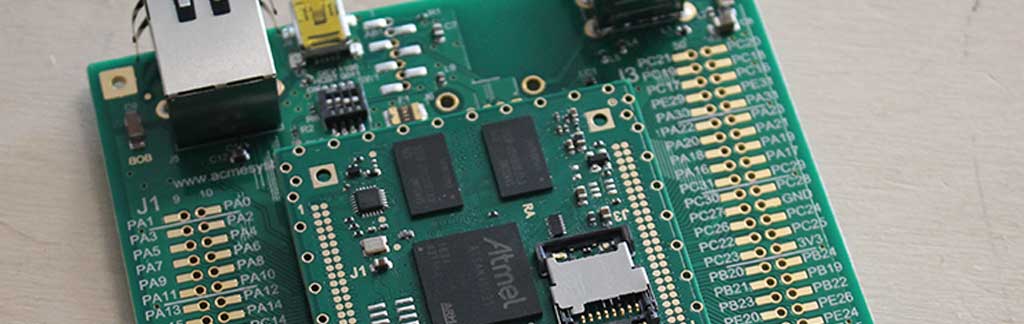
Insert the Acqua A5 on the BERTA-A5-EXT carrier board:
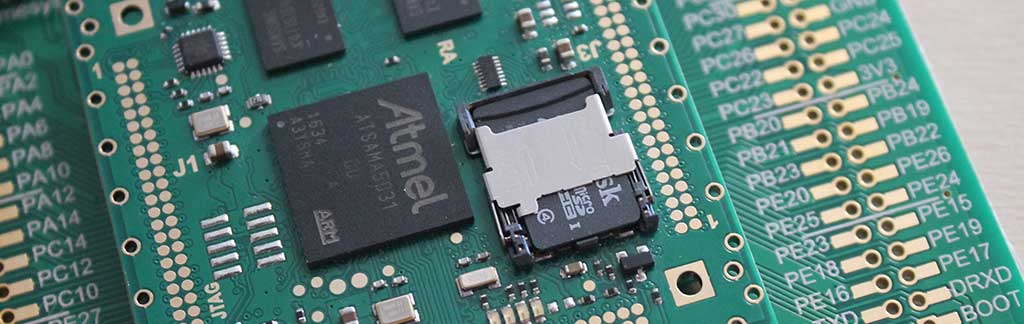
 Insert the bootable microSD inside the Acqua A5 microSD holder:
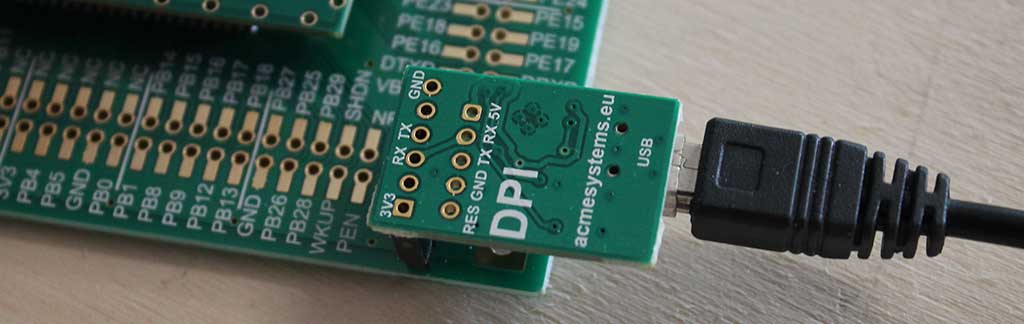
 Insert the DPI adapter:
 or alternatively the USB-3V-SER adapter:
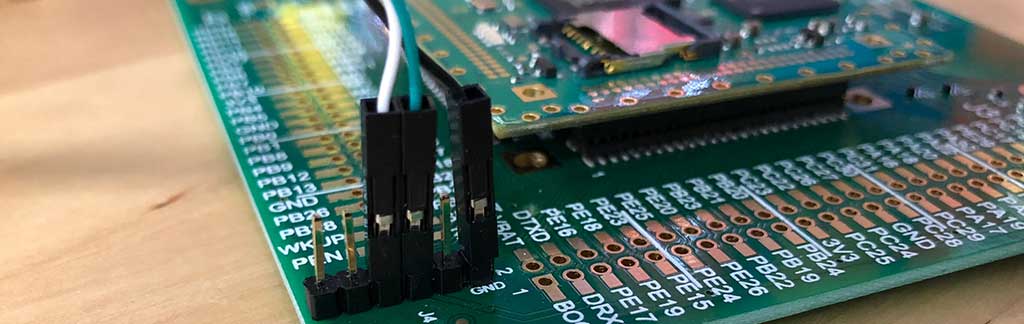 Set the serial terminal configuration at: 115200.N,8,1 with no acknowledge
This is the debug port pinout
| 1 | 2 | 3 | 4 | 5 | 6 |
|-----|-----|-----|-----|----------|
| - | - | TXD | RXD | - | GND |
Plug the LAN cable. Acqua will search an active DCHP server on your LAN to get dynamically the IP address:
Set the serial terminal configuration at: 115200.N,8,1 with no acknowledge
This is the debug port pinout
| 1 | 2 | 3 | 4 | 5 | 6 |
|-----|-----|-----|-----|----------|
| - | - | TXD | RXD | - | GND |
Plug the LAN cable. Acqua will search an active DCHP server on your LAN to get dynamically the IP address:
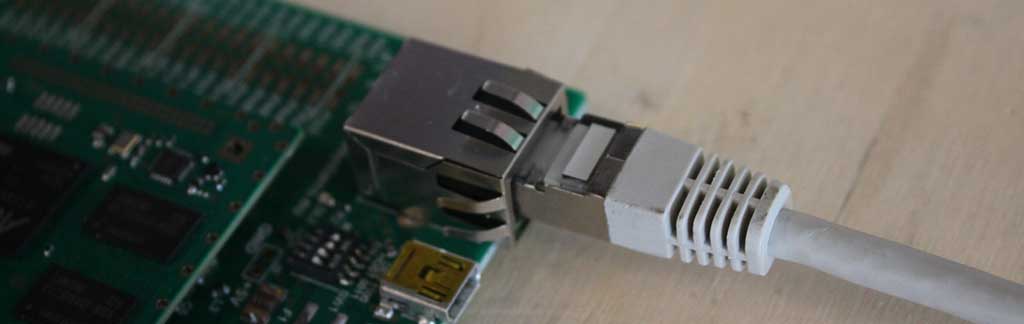 Plug the 5 volt power supply and check the bootstrap messages on the serial terminal:
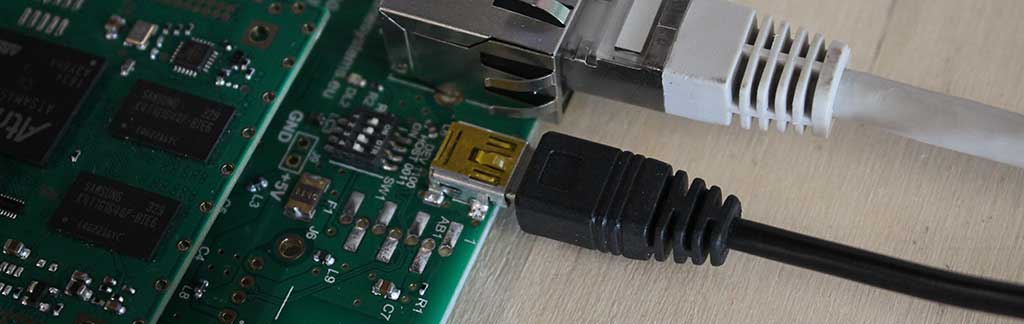 In this phase is not so important to configure the dip switch near the mini USB connector
so you can leave it in the default configuration:
In this phase is not so important to configure the dip switch near the mini USB connector
so you can leave it in the default configuration:
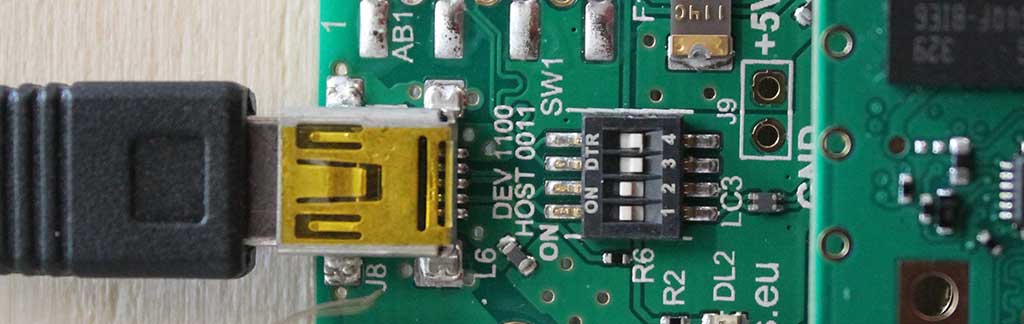 This is the dip switch meaning:
| 1 | 2 | 3 | 4 | Function |
|-----|-----|-----|-----|----------|
| ON | ON | OFF | OFF | USB A lines on J8 microUSB port. In this way it is possible to access to RomBOOT code using [SAM-BA](/SAM-BA) or use the Linux Kernel USB gadget drivers|
| OFF | OFF | ON | ON | USB A lines on WiFi module |
This is the dip switch meaning:
| 1 | 2 | 3 | 4 | Function |
|-----|-----|-----|-----|----------|
| ON | ON | OFF | OFF | USB A lines on J8 microUSB port. In this way it is possible to access to RomBOOT code using [SAM-BA](/SAM-BA) or use the Linux Kernel USB gadget drivers|
| OFF | OFF | ON | ON | USB A lines on WiFi module |