# FT4232H setup
The USB-to-multiserial chip FTDI FT4232H used on the CM-Home board needs an initial setup to configure
two of the four serial ports provided in RS485 mode instead of RS232 mode. This configuration
is written on external EPROM. This tutorial illustrates how to program this EEPROM.
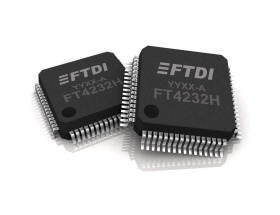 To write the FT4232H serial EEPROM is required an utility included in the libftdi library starting from its version 1.4 or higher.
These are the steps to follow to install this utility starting from a fresh Rasperry Pi OS:
## Compile libftdi library from the sources
Install the required packages:
$ sudo apt-get update
$ sudo apt-get install libconfuse-dev libboost-dev libusb-1.0.0-dev swig cmake
Download the latest sources version of [libftdi](https://www.intra2net.com/en/developer/libftdi/index.php) library:
$ wget https://www.intra2net.com/en/developer/libftdi/download/libftdi1-1.4.tar.bz2
$ tar -xvjf libftdi1-1.4.tar.bz2
$ cd libftdi1-1.4
Launch the source building by typing the follow commands:
$ mkdir build
$ cd build
$ cmake -DCMAKE_INSTALL_PREFIX="/usr" ../
$ make
$ sudo make install
At this point we have the utility ftdi_eeprom compiled and ready to be used to write the serial EEPROM
with the configuration file we need.
Create a text file called cmhome.conf with this contents:
# CM-HOME EEPROM configuration for FT4232H
vendor_id=0x0403 # Vendor ID
product_id=0x6011 # Product ID
eeprom_type=0x56
max_power=0 # Max. power consumption: value * 2 mA. Use 0 if self_powered = true.
# Strings
manufacturer="Acme Systems srl" # Manufacturer
product="CM-Home board" # Product
serial="1234" # Serial
# Options
self_powered=true # Turn this off for bus powered
remote_wakeup=false # Turn this on for remote wakeup feature
use_serial=true # Use the serial number string
# Normally out don't have to change one of these flags
in_is_isochronous=false # In Endpoint is Isochronous
out_is_isochronous=false # Out Endpoint is Isochronous
suspend_pull_downs=false # Enable suspend pull downs for lower power
change_usb_version=false # Change USB Version
usb_version=0x0200 # Only used when change_usb_version is enabled
cha_type=UART
chb_type=UART
cha_vcp=true
chb_vcp=true
chc_vcp=true
chd_vcp=true
cha_rs485=true
chb_rs485=true
chc_rs485=true
chd_rs485=true
# Filename, leave empty to skip file writing
# filename="cmhome.bin"
Type this command to create a binary image of this configuration called
To write the FT4232H serial EEPROM is required an utility included in the libftdi library starting from its version 1.4 or higher.
These are the steps to follow to install this utility starting from a fresh Rasperry Pi OS:
## Compile libftdi library from the sources
Install the required packages:
$ sudo apt-get update
$ sudo apt-get install libconfuse-dev libboost-dev libusb-1.0.0-dev swig cmake
Download the latest sources version of [libftdi](https://www.intra2net.com/en/developer/libftdi/index.php) library:
$ wget https://www.intra2net.com/en/developer/libftdi/download/libftdi1-1.4.tar.bz2
$ tar -xvjf libftdi1-1.4.tar.bz2
$ cd libftdi1-1.4
Launch the source building by typing the follow commands:
$ mkdir build
$ cd build
$ cmake -DCMAKE_INSTALL_PREFIX="/usr" ../
$ make
$ sudo make install
At this point we have the utility ftdi_eeprom compiled and ready to be used to write the serial EEPROM
with the configuration file we need.
Create a text file called cmhome.conf with this contents:
# CM-HOME EEPROM configuration for FT4232H
vendor_id=0x0403 # Vendor ID
product_id=0x6011 # Product ID
eeprom_type=0x56
max_power=0 # Max. power consumption: value * 2 mA. Use 0 if self_powered = true.
# Strings
manufacturer="Acme Systems srl" # Manufacturer
product="CM-Home board" # Product
serial="1234" # Serial
# Options
self_powered=true # Turn this off for bus powered
remote_wakeup=false # Turn this on for remote wakeup feature
use_serial=true # Use the serial number string
# Normally out don't have to change one of these flags
in_is_isochronous=false # In Endpoint is Isochronous
out_is_isochronous=false # Out Endpoint is Isochronous
suspend_pull_downs=false # Enable suspend pull downs for lower power
change_usb_version=false # Change USB Version
usb_version=0x0200 # Only used when change_usb_version is enabled
cha_type=UART
chb_type=UART
cha_vcp=true
chb_vcp=true
chc_vcp=true
chd_vcp=true
cha_rs485=true
chb_rs485=true
chc_rs485=true
chd_rs485=true
# Filename, leave empty to skip file writing
# filename="cmhome.bin"
Type this command to create a binary image of this configuration called cmhome.bin. This
bin will be send later to the FTDI chip:
sudo ftdi_eeprom --flash-eeprom cmhome.conf
FTDI eeprom generator v0.17
(c) Intra2net AG and the libftdi developers
FTDI read eeprom: 0
EEPROM size: -1
Used eeprom space: 236 bytes
FTDI write eeprom: 0
FTDI close: 0
If everything has gone well should be possible to see the following messages generated
by the Kernel after the FT4232H reset.
Type:
dmesg
[ 1381.461766] usb 1-1.5: new high-speed USB device number 5 using dwc_otg
[ 1381.596326] usb 1-1.5: New USB device found, idVendor=0403, idProduct=6011
[ 1381.596333] usb 1-1.5: New USB device strings: Mfr=1, Product=2, SerialNumber=3
[ 1381.596337] usb 1-1.5: Product: CM-Home board
[ 1381.596341] usb 1-1.5: Manufacturer: Acme Systems srl
[ 1381.596345] usb 1-1.5: SerialNumber: 1234
[ 1381.598522] ftdi_sio 1-1.5:1.0: FTDI USB Serial Device converter detected
[ 1381.598648] usb 1-1.5: Detected FT4232H
[ 1381.598968] usb 1-1.5: FTDI USB Serial Device converter now attached to ttyUSB0
[ 1381.600792] ftdi_sio 1-1.5:1.1: FTDI USB Serial Device converter detected
[ 1381.600871] usb 1-1.5: Detected FT4232H
[ 1381.601133] usb 1-1.5: FTDI USB Serial Device converter now attached to ttyUSB1
[ 1381.607429] ftdi_sio 1-1.5:1.2: FTDI USB Serial Device converter detected
[ 1381.607534] usb 1-1.5: Detected FT4232H
[ 1381.607853] usb 1-1.5: FTDI USB Serial Device converter now attached to ttyUSB2
[ 1381.609659] ftdi_sio 1-1.5:1.3: FTDI USB Serial Device converter detected
[ 1381.609733] usb 1-1.5: Detected FT4232H
[ 1381.609981] usb 1-1.5: FTDI USB Serial Device converter now attached to ttyUSB3
It is possible to check the strings saved inside the EEPROM also by typing:
cat /sys/bus/usb/devices/*/manufacturer
cat /sys/bus/usb/devices/*/product
cat /sys/bus/usb/devices/*/serial
or:
usb-devices
## Links
* [libFTDI](https://www.intra2net.com/en/developer/libftdi/)
* [https://www.flashrom.org/Supported_hardware#USB_Devices](https://www.flashrom.org/Supported_hardware#USB_Devices)
* [FT4232H Datasheet](http://www.ftdichip.com/Support/Documents/DataSheets/ICs/DS_FT4232H.pdf)
* [FT_prog by Mark Lord](http://rtr.ca/ft232r/)
* [FTX-prog](https://github.com/richardeoin/ftx-prog)
* [Datasheet ISO35 (RS485 chip)](http://www.ti.com/lit/ds/symlink/iso35.pdf)
@include='adv_cmpanel'