# Infrared remote control
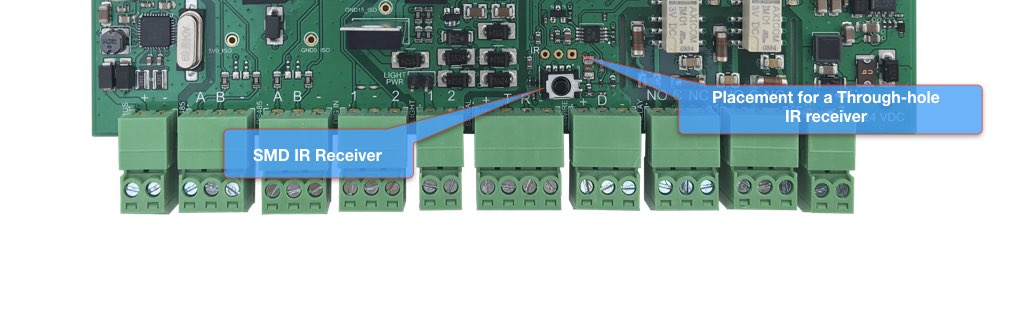
This article illustrates how to use the 38 kHz infrared receiver available on the CM3-Home full edition
 ## config.txt setup
To enable the use of IR receiver add these lines to the /boot/config.txt file:
#Enable the IR Linux driver
dtoverlay=gpio-ir,gpio_pin=20
## Read the IR code received
After boot install the ir-keytable package:
sudo apt-get update
sudo apt-get install ir-keytable
Set the IR remote control type you want to use (in this example RC-5):
sudo ir-keytable -p rc-5
then:
ir-keytable -t -v
Now point you remote control and read the code received.
## Links
* [IR Receiver Modules datasheet](https://www.vishay.com/docs/82463/tsop62.pdf)
## config.txt setup
To enable the use of IR receiver add these lines to the /boot/config.txt file:
#Enable the IR Linux driver
dtoverlay=gpio-ir,gpio_pin=20
## Read the IR code received
After boot install the ir-keytable package:
sudo apt-get update
sudo apt-get install ir-keytable
Set the IR remote control type you want to use (in this example RC-5):
sudo ir-keytable -p rc-5
then:
ir-keytable -t -v
Now point you remote control and read the code received.
## Links
* [IR Receiver Modules datasheet](https://www.vishay.com/docs/82463/tsop62.pdf)