# Serial debug port
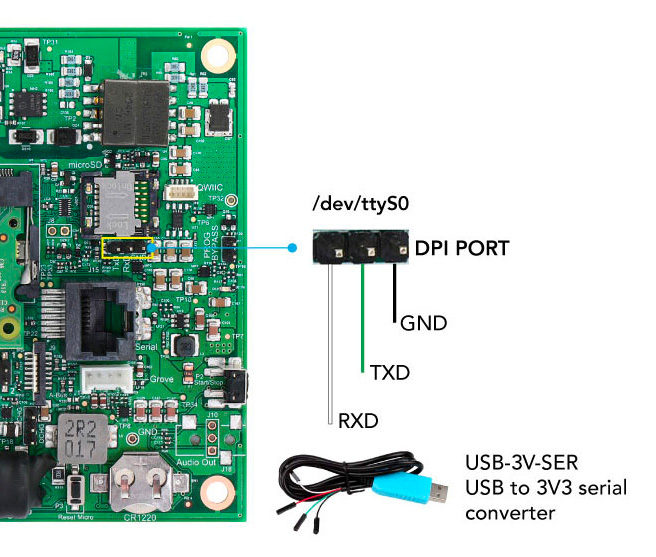
The debug port interface is used to have access to the system console at the lower level possible.
This port works starting from the very first bootstrap phase up to the Linux command line shell.
The debug port works also without active network but it needs to be activated
adding this line in __/boot/config.txt__ file:
enable_uart=1
and adding this line in __/boot/cmdline.txt__ file:
console=serial1,115200
The default serial speed is __115200,N,8,1__. The signal levels are at 3.3 Volt.
An [USB to 3V3 serial converter](https://www.acmesystems.it/USB-3V-SER) is requested to link
this port to your computer.
As serial terminal software it can be used:
* [Screen](https://www.commandlinefu.com/commands/view/6130/use-screen-as-a-terminal-emulator-to-connect-to-serial-consoles)
or [Minicom](https://wiki.emacinc.com/wiki/Getting_Started_With_Minicom) on Linux and Mac
* [Putty](https://www.putty.org/) on Windows
@include='adv_cmpanel'