#Compiling a Linux Device driver
This article illustrates how to compile the "Hello World" example on page 16 chapter II on the Linux Device Driver 3rd Edition book written by Jonathan Corbet, Alessandro Rubini and Greg Kroah-Hartman for O'Reilly
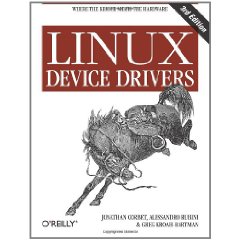 This book is the bible for who wants to write Linux Device Drivers. You can read it for free from here:
* [PDF version](http://lwn.net/Kernel/LDD3/)
Before proceede you have to properly configure and built the Linux Kernel for your Acme board as explained on these articles:
* @article='compile_linux_3_16'
##Hello World example
This is the original source code of the basic Hello World example
This book is the bible for who wants to write Linux Device Drivers. You can read it for free from here:
* [PDF version](http://lwn.net/Kernel/LDD3/)
Before proceede you have to properly configure and built the Linux Kernel for your Acme board as explained on these articles:
* @article='compile_linux_3_16'
##Hello World example
This is the original source code of the basic Hello World example
	#include
	#include

	MODULE_LICENSE("Dual BSD/GPL");

	static int hello_init(void)
	{
		printk(KERN_ALERT "Hello, world\n");
		return 0;
	}

	static void hello_exit(void)
	{
		printk(KERN_ALERT "Goodbye, cruel world\n");
	}
	module_init(hello_init);
	module_exit(hello_exit);
Create a directory to store your module in your home page on your Linux Ubuntu PC.
~$ mkdir ldd3
~$ cd ldd3
~/ldd3$
and save here the example code in __hello.c__.
##Create the Makefile
Create a file called **Makefile** in the same source directory with a single line:
obj-m:= hello.o
The fully explanation on how it works is illustrated on
__page 23 chapter II__ or in __/Documentation/kbuild__ in the Linux Kernel sources.
Now issue the kernel module compilation by typing:
~/ldd3$ make -C ~/linux-3.16.1 ARCH=arm CROSS_COMPILE=arm-linux-gnueabi- M=`pwd` modules
make: Entering directory `/home/tanzilli/linux-3.13'
  CC [M]  /home/tanzilli/ldd3/hello.o
  Building modules, stage 2.
  MODPOST 1 modules
  CC      /home/tanzilli/ldd3/hello.mod.o
  LD [M]  /home/tanzilli/ldd3/hello.ko
make: Leaving directory `/home/tanzilli/linux-3.13'
Change ~/linux-3.16.1 with the Linux source directory on your PC.
The **hello.ko** file you will obtain is the kernel module ready to be
launched on your board. Copy this file into the board file system and
launch it by typing:
~# insmod hello.ko
Hello, world
Get the modules list by typing:
~# lsmod
Module                  Size  Used by
hello                    820  0
...
Remove the module by typing:
~# rmmod hello
Goodbye, cruel world
#Related links
* [Anatomy of Linux loadable kernel modules](http://www.ibm.com/developerworks/linux/library/l-lkm/index.html)
* [The Linux Kernel Module Programming Guide](http://tldp.org/LDP/lkmpg/2.6/html)
* [Linux Device Drivers, Third Edition](http://lwn.net/Kernel/LDD3/)
* [Writing device drivers in Linux](http://www.freesoftwaremagazine.com/articles/drivers_linux)
@include='bio_tanzilli'