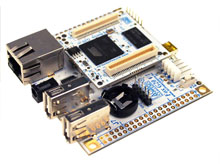
# Download binary images for Fox Board G20
 "
## Kernel Linux 4.19.209 - Debian Buster 10
MicroSD image released on 7 Oct2021
MicroSD image
* [MicroSD image debian-buster-foxg20.img.xz](/download/microsd/foxg20/debian-buster-foxg20.img.xz)
To generate the bootable microSD from this image using Windows, Mac or Linux install Balena Etcher from this link:
*
###Login data
* Login: acme Password: acmesystems
to extend the rootfs to fill the microSD size type:
sudo growpart /dev/mmcblk0 2
sudo resize2fs /dev/mmcblk0p2
###Create the binaries from sources
The kernel image and the roofs contents used to create this microsd image were made following these articles
* @article='foxg20_compile_kernel_4_19'
* @article='foxg20_debos'
###Defconfig and device tree used
* [acme-foxg20_defconfig](https://www.acmesystems.it/www/foxg20_compile_kernel_4_19/foxg20_defconfig)
* [acme-foxg20.dts](https://www.acmesystems.it/www/foxg20_compile_kernel_4_19/acme-foxg20.dts)
"
## Kernel Linux 4.19.209 - Debian Buster 10
MicroSD image released on 7 Oct2021
MicroSD image
* [MicroSD image debian-buster-foxg20.img.xz](/download/microsd/foxg20/debian-buster-foxg20.img.xz)
To generate the bootable microSD from this image using Windows, Mac or Linux install Balena Etcher from this link:
*
###Login data
* Login: acme Password: acmesystems
to extend the rootfs to fill the microSD size type:
sudo growpart /dev/mmcblk0 2
sudo resize2fs /dev/mmcblk0p2
###Create the binaries from sources
The kernel image and the roofs contents used to create this microsd image were made following these articles
* @article='foxg20_compile_kernel_4_19'
* @article='foxg20_debos'
###Defconfig and device tree used
* [acme-foxg20_defconfig](https://www.acmesystems.it/www/foxg20_compile_kernel_4_19/foxg20_defconfig)
* [acme-foxg20.dts](https://www.acmesystems.it/www/foxg20_compile_kernel_4_19/acme-foxg20.dts)
## Kernel Linux 3.11.6 - EmDebian Wheezy Grip 7.4
Legacy microSD image released on 14 Aug 2012
###Create a bootable microSD
* [Format a new microSD](/microsd_format)
* Insert the new microSD in your PC reader and check that the partition __kernel__ and __rootfs__ are mounted
* Download from [here](https://www.acmesystems.it/download/microsd/FoxG20-140822) these files:
* kernel.tar.bz2
* rootfs.tar.bz2
* Extract the tar file contents inside the first and second microSD partition by typing these commands:
$ sudo tar -xvjpSf kernel.tar.bz2 -C /media/$USER/KERNEL
$ sudo tar -xvjpSf rootfs.tar.bz2 -C /media/$USER/rootfs
* Unmount the microSD and use it to boot your Acme Board.
* At login use this account:
login: root
password: netusg20