# BRIZIO-SWD - In-circuit programmer and serial adapter
Brizio SWD is a small USB SWD in-circuit programmer and serial adapter for Berta H10 board based on the popular Waveshare RP2040-Zero board and Free-dap firmware
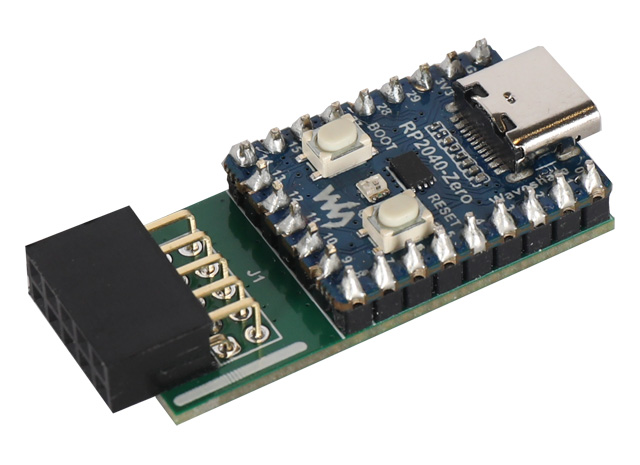 * The [Waveshare RP2040-Zero](https://www.waveshare.com/wiki/RP2040-Zero) is a cheap a tiny board based on the [Raspberry RP2040 microprocessor](https://www.raspberrypi.com/products/rp2040/).
* [Free-DAP](https://github.com/ataradov/free-dap) is a free and open implementation of the CMSIS-DAP debugger firmware
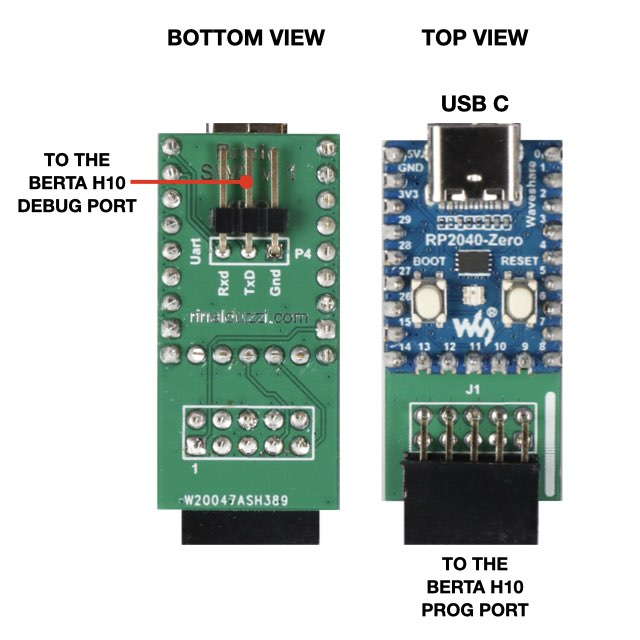
We made a small dual-face printed circuit bord to use the Waveshare RP2040-Zero hardware and Free-DAP software as an in-circuit
programmer and debug port interface for the Berta H10 SDK.
Use this link @buybutton='h10' to buy to buy the ready-to-use Brizio SWD programmer
or just the PCB to made it by yourself.
* The [Waveshare RP2040-Zero](https://www.waveshare.com/wiki/RP2040-Zero) is a cheap a tiny board based on the [Raspberry RP2040 microprocessor](https://www.raspberrypi.com/products/rp2040/).
* [Free-DAP](https://github.com/ataradov/free-dap) is a free and open implementation of the CMSIS-DAP debugger firmware
We made a small dual-face printed circuit bord to use the Waveshare RP2040-Zero hardware and Free-DAP software as an in-circuit
programmer and debug port interface for the Berta H10 SDK.
Use this link @buybutton='h10' to buy to buy the ready-to-use Brizio SWD programmer
or just the PCB to made it by yourself.
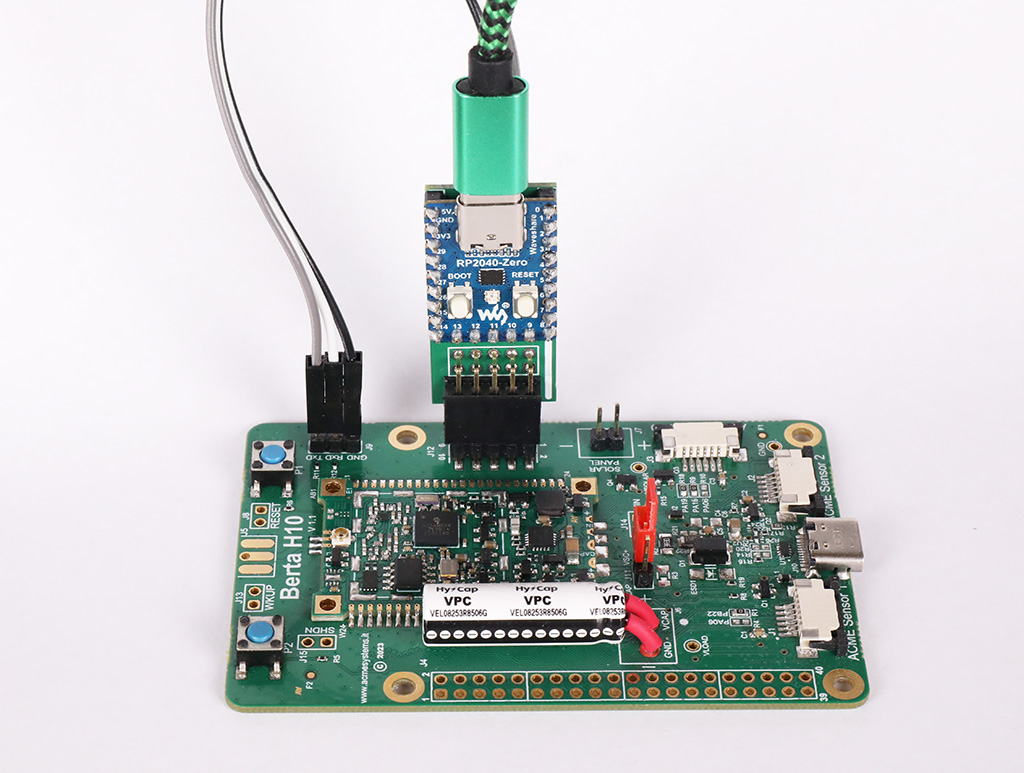
 This photo illustrates how to plug the Brizio SWD programmer to the Berta H10 board.
 ## Programming a blank RP2040-Zero board
This section is for those who are using a blank version of the RP2040-Zero board. If you have purchased the programmer already assembled by Acme Systems, there is no need to read this paragraph.
A very easy way to save the firmware on the RP2040 board is using the ready-to-use binary file
available on this link:
* [free_dap_rp2040.uf2](./free_dap_rp2040.uf2)
Download this file and save it on your local disk. Plug the microUSB port of the RP2040 to your PC while holding down the
button BOOT on RP2040-Zero board. A disk called RPI-RP2 will appear on your desktop.
Drag and drop the
## Programming a blank RP2040-Zero board
This section is for those who are using a blank version of the RP2040-Zero board. If you have purchased the programmer already assembled by Acme Systems, there is no need to read this paragraph.
A very easy way to save the firmware on the RP2040 board is using the ready-to-use binary file
available on this link:
* [free_dap_rp2040.uf2](./free_dap_rp2040.uf2)
Download this file and save it on your local disk. Plug the microUSB port of the RP2040 to your PC while holding down the
button BOOT on RP2040-Zero board. A disk called RPI-RP2 will appear on your desktop.
Drag and drop the free_dap_rp2040.uf2 file on this new drive. After a while the RPI-RP2 will disappear from your desktop and the green led on RP2040 turn-on. Your SWD programmer is now ready-to-use.
## Other programming solutions
* @article='h10_swd_pico2040'
* @article='h10_swd_stlinkv2'
* @article='h10_swd_atmel_ice'
## Links
* [Waveshare RP2040-Zero web page](https://www.waveshare.com/wiki/RP2040-Zero)
* @article='h10_berta_getting_started'
* @article='h10_prog_port'
Related products
@include='card_h10'
@include='card_bertah10'