 ##Where to get the binary file
The ready-to-use binary files called "configurations" are available from this
page:
* [ATA8510 configurations](/ata8510configuration)
##Install Atmel Studio 7.0
Install Atmel Studio 7.0 on your PC starting from this page:
* [Microchip site - Atmel studio page](http://www.atmel.com/tools/atmelstudio.aspx#download)
##ICE programmer hardware setup
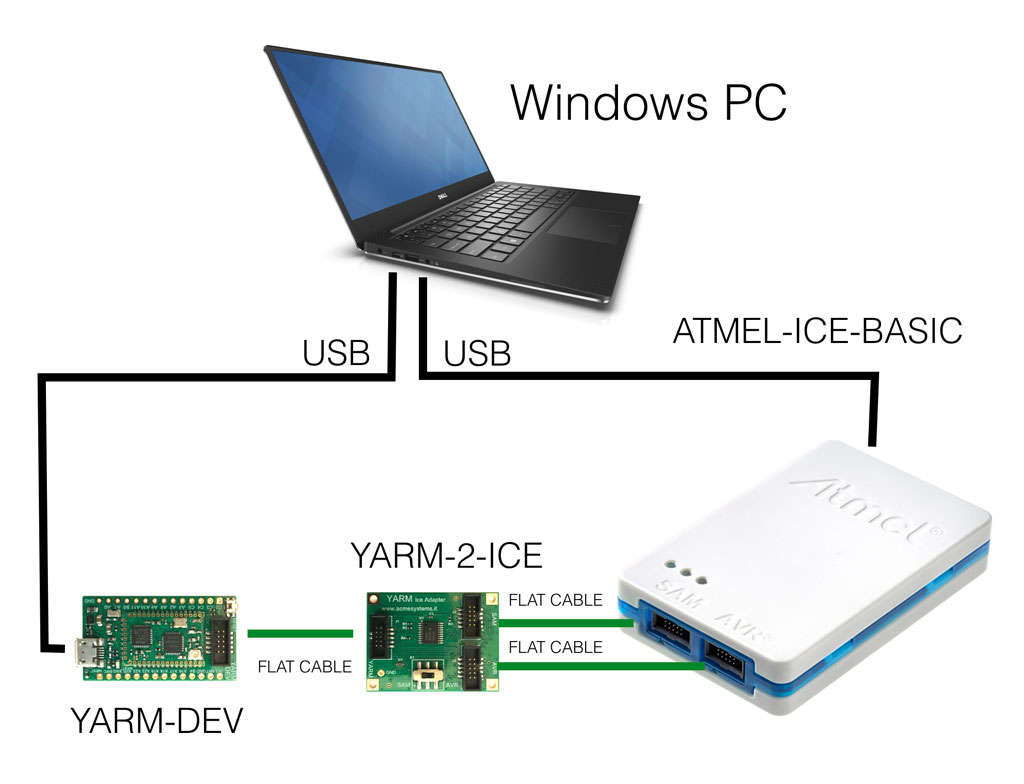
Plug the programmer tools as shown below:
##Where to get the binary file
The ready-to-use binary files called "configurations" are available from this
page:
* [ATA8510 configurations](/ata8510configuration)
##Install Atmel Studio 7.0
Install Atmel Studio 7.0 on your PC starting from this page:
* [Microchip site - Atmel studio page](http://www.atmel.com/tools/atmelstudio.aspx#download)
##ICE programmer hardware setup
Plug the programmer tools as shown below:
 A complete kit is available here: @product='YARM-KIT-FULL'.
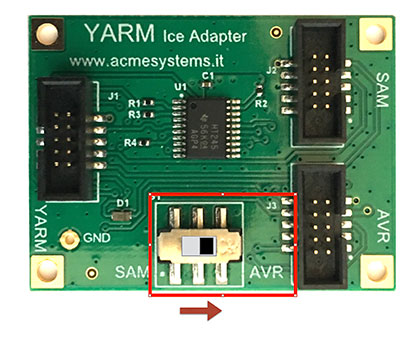
On the YARM-2-DEV adapter switch the MCU selector to the AVR possition.
A complete kit is available here: @product='YARM-KIT-FULL'.
On the YARM-2-DEV adapter switch the MCU selector to the AVR possition.
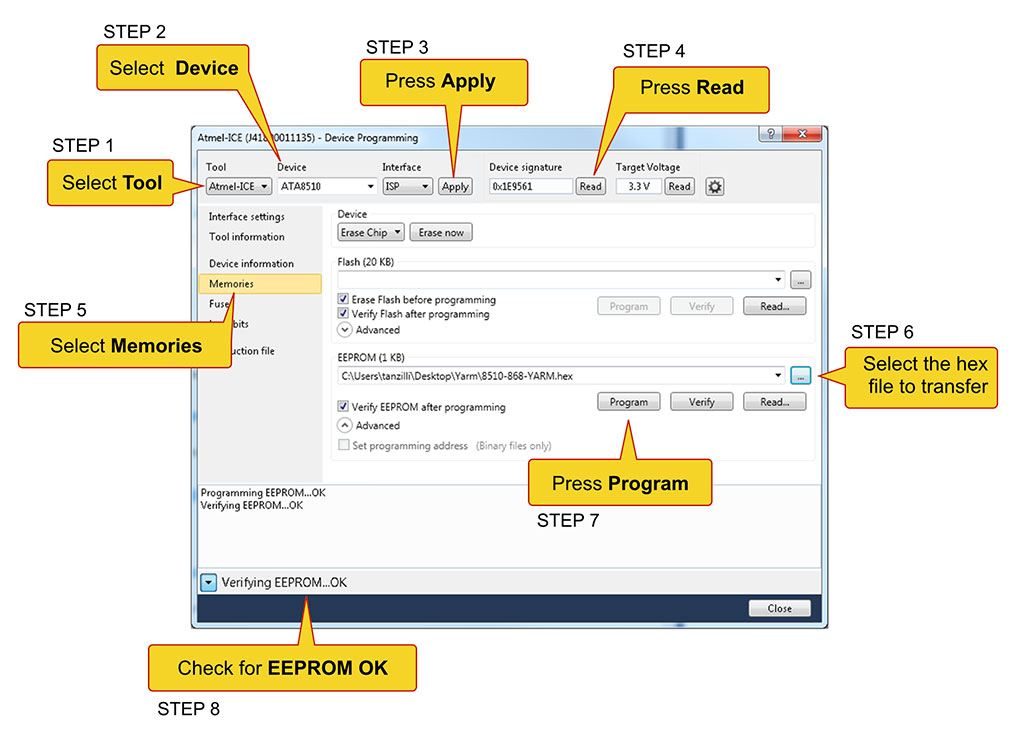
 Launch [Atmel Studio 7](http://www.atmel.com/Microsite/atmel-studio/) and select Tools -> Device Programming,
then follow these steps to load the configuration inside the ATA8510 EEPROM
Launch [Atmel Studio 7](http://www.atmel.com/Microsite/atmel-studio/) and select Tools -> Device Programming,
then follow these steps to load the configuration inside the ATA8510 EEPROM
 ##Links
To getting started with Atmel Studio 7 and YARM read this article:
* @article='yarm_getting_started'
* @article='yarm_avr_programming'
##Links
To getting started with Atmel Studio 7 and YARM read this article:
* @article='yarm_getting_started'
* @article='yarm_avr_programming'