# Compiling Linux Kernel 5.15 LTS for RoadRunner
This article illustrates how to generate a bootable Linux Kernel image for RoadRunner SOM
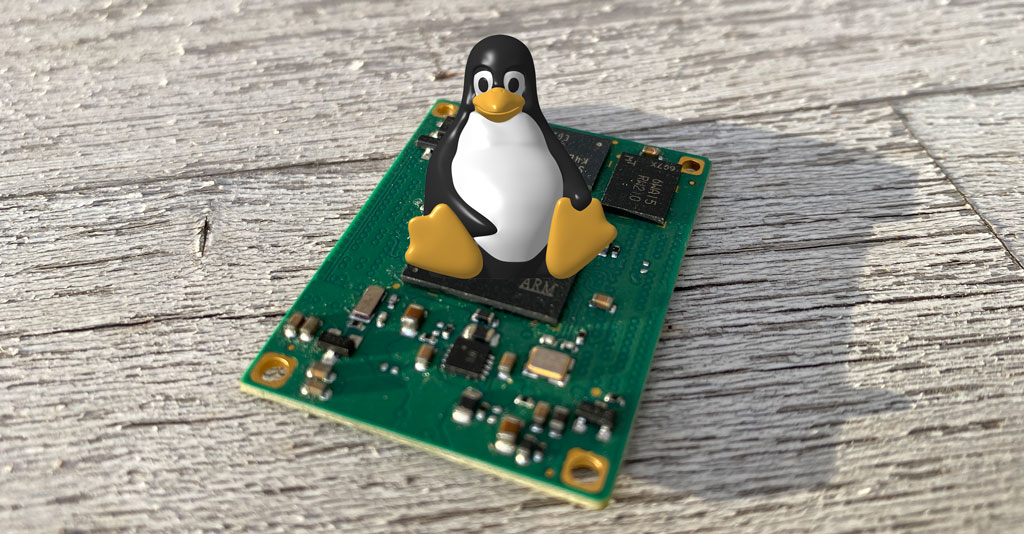 The contents of this article are mainly derived from the official Microchip reference page available on this link:
* [Linux4sam Linux Kernel page](https://www.linux4sam.org/bin/view/Linux4SAM/LinuxKernel)
## Prerequisite
* Install the ARM toolchain: @article='arm9_toolchain'
* It is advisable to have a Debug Port Interface like [DPI](/DPI) or [USB-3V-SER](/USB-3V-SER)
to check the error messages during the kernel bootstrap
##Step-by-step Kernel cross-compilation procedure:
### Kernel sources download
Open a terminal on your Linux PC and download the Linux Kernel sources from the main stream repository:
wget https://github.com/linux4microchip/linux/archive/refs/heads/linux-5.15-mchp.zip
unzip linux-5.15-mchp.zip
cd linux-linux-5.15-mchp
### Compile the Kernel image
Download the Roadrunner Kernel config and generate the Kernel bootable image:
wget https://www.acmesystems.it/www/roadrunner_compile_kernel_5_15/roadrunner_defconfig -O arch/arm/configs/roadrunner_defconfig
make ARCH=arm CROSS_COMPILE=arm-linux-gnueabihf- roadrunner_defconfig
Compile the Linux Kernel sources and generate the binary compressed
image file to save in the first partition of microSD card.
make -j4 ARCH=arm CROSS_COMPILE=arm-linux-gnueabihf- zImage
...
Image arch/arm/boot/zImage is ready
### Generate the Device Tree Blob file (.dtb)
Download our example of device tree source by typing:
wget https://www.acmesystems.it/www/roadrunner_compile_kernel_5_15/acme-roadrunner.dts -O arch/arm/boot/dts/acme-roadrunner.dts
Now compile the device tree file requested by your board by selecting one of the following commands:
make ARCH=arm CROSS_COMPILE=arm-linux-gnueabihf- acme-roadrunner.dtb
### Compile the Kernel modules
The image generated contains the Linux Kernel and all the built-in
device drivers (option [*] in menuconfig) compiled with it.
Al the drivers compiled as external modules (option [M] in menuconfig)
need to be compiled and saved in the rootfs
The contents of this article are mainly derived from the official Microchip reference page available on this link:
* [Linux4sam Linux Kernel page](https://www.linux4sam.org/bin/view/Linux4SAM/LinuxKernel)
## Prerequisite
* Install the ARM toolchain: @article='arm9_toolchain'
* It is advisable to have a Debug Port Interface like [DPI](/DPI) or [USB-3V-SER](/USB-3V-SER)
to check the error messages during the kernel bootstrap
##Step-by-step Kernel cross-compilation procedure:
### Kernel sources download
Open a terminal on your Linux PC and download the Linux Kernel sources from the main stream repository:
wget https://github.com/linux4microchip/linux/archive/refs/heads/linux-5.15-mchp.zip
unzip linux-5.15-mchp.zip
cd linux-linux-5.15-mchp
### Compile the Kernel image
Download the Roadrunner Kernel config and generate the Kernel bootable image:
wget https://www.acmesystems.it/www/roadrunner_compile_kernel_5_15/roadrunner_defconfig -O arch/arm/configs/roadrunner_defconfig
make ARCH=arm CROSS_COMPILE=arm-linux-gnueabihf- roadrunner_defconfig
Compile the Linux Kernel sources and generate the binary compressed
image file to save in the first partition of microSD card.
make -j4 ARCH=arm CROSS_COMPILE=arm-linux-gnueabihf- zImage
...
Image arch/arm/boot/zImage is ready
### Generate the Device Tree Blob file (.dtb)
Download our example of device tree source by typing:
wget https://www.acmesystems.it/www/roadrunner_compile_kernel_5_15/acme-roadrunner.dts -O arch/arm/boot/dts/acme-roadrunner.dts
Now compile the device tree file requested by your board by selecting one of the following commands:
make ARCH=arm CROSS_COMPILE=arm-linux-gnueabihf- acme-roadrunner.dtb
### Compile the Kernel modules
The image generated contains the Linux Kernel and all the built-in
device drivers (option [*] in menuconfig) compiled with it.
Al the drivers compiled as external modules (option [M] in menuconfig)
need to be compiled and saved in the rootfs /lib directory on the second
partition of the microSD. We didn't use any [M] flag in our defconfig so this procedure
is not requested but. in case you add something. these are the commands to use
to compile them:
make modules -j4 ARCH=arm CROSS_COMPILE=arm-linux-gnueabihf-
make modules_install INSTALL_MOD_PATH=./modules ARCH=arm
### Copy the boot files into the first microSD partition
Insert a [formatted microSD](/microsd_format) with the boot loader ([at91bootstrap](/at91bootstrap_4_0_4))
and the rootfs contents already created in your Linux PC and copy on it these files:
Write the Linux Kernel image (zImage) and the device tree blob (acme-roadrunner.dtb)
inside the first microSD partition:
sudo cp arch/arm/boot/dts/acme-roadrunner.dtb /media/$USER/boot
sudo cp arch/arm/boot/zImage /media/$USER/boot
Copy also the Linux kernel command file cmdline.txt
wget https://www.acmesystems.it/www/roadrunner_compile_kernel_5_15/cmdline.txt
sudo cp cmdline.txt /media/$USER/boot
Write the Linux Kernel modules inside the second microSD partition:
sudo rsync -avc modules/lib/. /media/$USER/rootfs/lib/.
### After the first boot
At the first access to the board command line update the module dependencies by typing this command:
depmod -a
## Links
* Microchip Linux4sam tutorial
## Customize the default Linux Kernel configuration:
If you need to customize the Kernel configuration or you just want to take a look
around the Kernel setup type:
make ARCH=arm menuconfig
and navigate inside the Kernel configuration using the arrow keys and
following the help provided by the menuconfig interface.
## Create a defconfig of your own Kernel configuration
make ARCH=arm savedefconfig
The file defconfig contains your configuration. You could rename and copy it in arch/arm/configs/
cp defconfig arch/arm/configs/my_defconfig
## File used in this article
* [roadrunner_defconfig](./roadrunner_defconfig)
* [acme-roadrunner.dts](./acme-roadrunner.dts)
* [cmdline.txt](./cmdline.txt)
@include='adv_roadrunner'