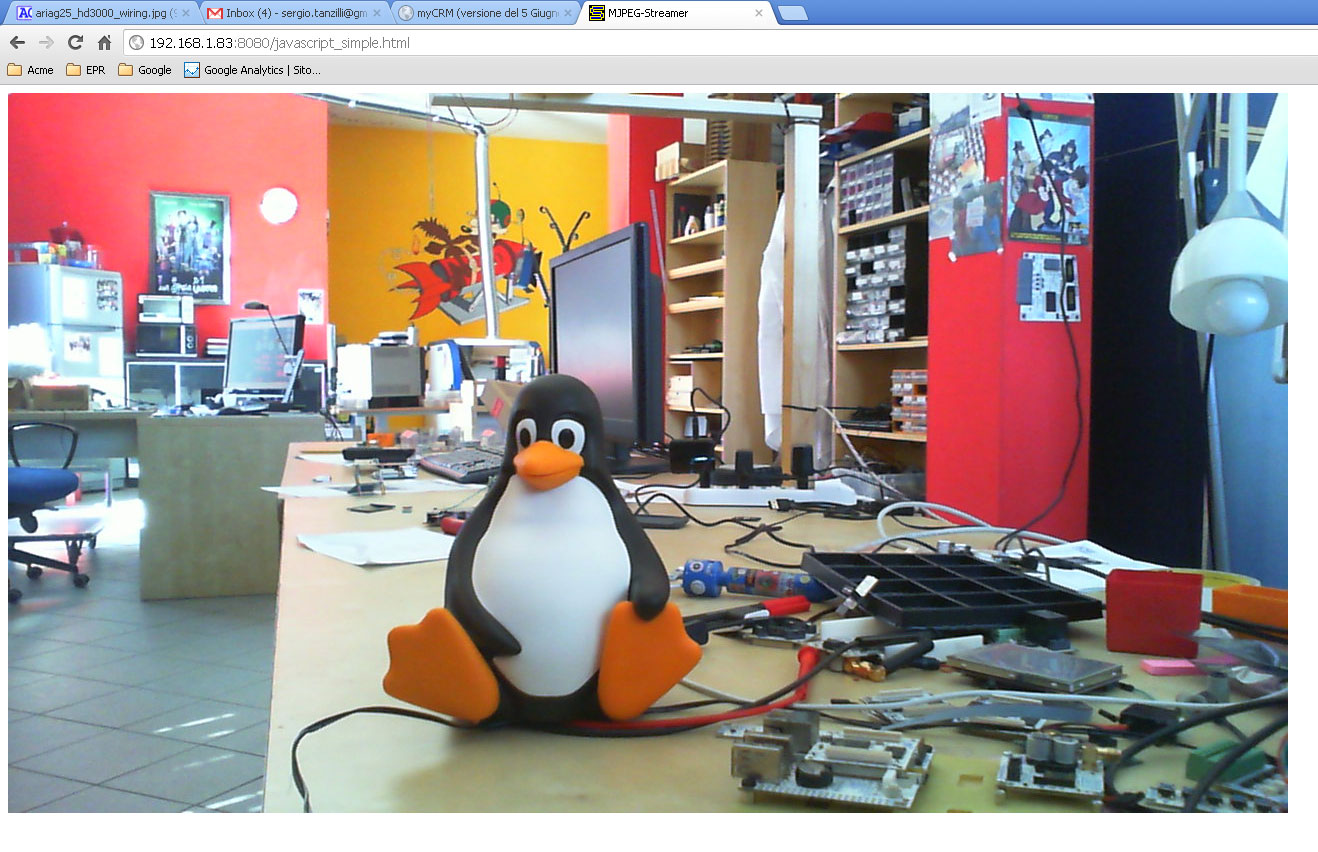
 This is the result obtained on a web browser. Click to see the 1:1 dimension.
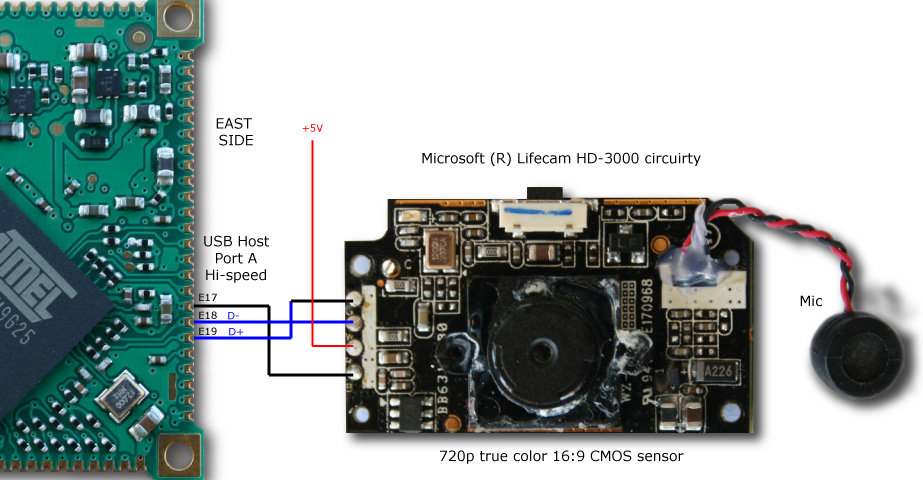
 We've tested some webcams that belong to different classes of cost and feature:
* Microsoft Lifecam HD-3000
* Microsoft Lifecam HD-5000
* Microsoft Lifecam Cinema 720p HD webcam
* Microsoft LifeCam Studio 1080p HD
* Logitech Webcam C250 1.3 megapixel webcam
* Logitech QuickCam® Sphere AF. Motorised 2-megapixel HD sensor webcam with Carl Zeiss® optics.
All these cams are compatible with the USB Video device Class (UVC) that is a standard USB device
class defined by the USB Implementers Forum.
The UVC driver for Linux are available here http://linux-uvc.berlios.de
but since the Linux 2.6.26 is included in kernel source distribution.
What we need more is **mjpeg_streamer** program that gets the mjpeg data from V4L2 and send it through a HTTP session.
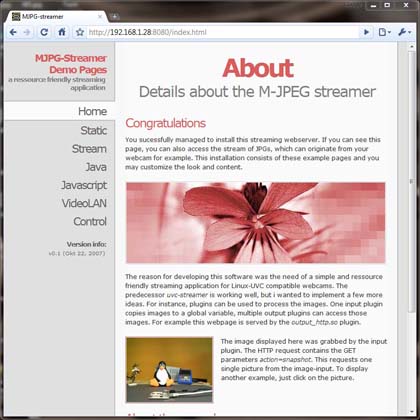
Mjpeg_streamer automatically generates a set of html pages that illustrates different
methods to stream the video over your browser. The best result comes using Google
Chrome on any OS but it works well also on Firefox, Opera and IE.
The stream works well but slower also on the **iPhone**.
Using the Logitech QuickCam Sphere AF it is possible to control also the camera tilt an pan with the default control panel.
We've tested some webcams that belong to different classes of cost and feature:
* Microsoft Lifecam HD-3000
* Microsoft Lifecam HD-5000
* Microsoft Lifecam Cinema 720p HD webcam
* Microsoft LifeCam Studio 1080p HD
* Logitech Webcam C250 1.3 megapixel webcam
* Logitech QuickCam® Sphere AF. Motorised 2-megapixel HD sensor webcam with Carl Zeiss® optics.
All these cams are compatible with the USB Video device Class (UVC) that is a standard USB device
class defined by the USB Implementers Forum.
The UVC driver for Linux are available here http://linux-uvc.berlios.de
but since the Linux 2.6.26 is included in kernel source distribution.
What we need more is **mjpeg_streamer** program that gets the mjpeg data from V4L2 and send it through a HTTP session.
Mjpeg_streamer automatically generates a set of html pages that illustrates different
methods to stream the video over your browser. The best result comes using Google
Chrome on any OS but it works well also on Firefox, Opera and IE.
The stream works well but slower also on the **iPhone**.
Using the Logitech QuickCam Sphere AF it is possible to control also the camera tilt an pan with the default control panel.
 ##MJPG Streamer installation
It is possible to install MJPG streamer from the sources and compile it directly on the Acme Linux Board.
Download the sources from this link:
* [mjpg-streamer.tar.gz](http://terzo.acmesystems.it/download/webcam/mjpg-streamer.tar.gz)
Save the file on the Acme board microSD then uncompress it by typing:
##MJPG Streamer installation
It is possible to install MJPG streamer from the sources and compile it directly on the Acme Linux Board.
Download the sources from this link:
* [mjpg-streamer.tar.gz](http://terzo.acmesystems.it/download/webcam/mjpg-streamer.tar.gz)
Save the file on the Acme board microSD then uncompress it by typing:
~# tar -xvzf mjpg-streamer.tar.gz
~# cd mjpg-streamer
~/mjpg-streamer#
Install make, libjpeg-dev and libv4l-dev libraries:
~/mjpg-streamer# apt-get update
~/mjpg-streamer# apt-get install make
~/mjpg-streamer# apt-get install libjpeg-dev
~/mjpg-streamer# apt-get install libv4l-dev
Now run the source compilation:
~/mjpg-streamer# makeAfter a while the mjpg-streamer executable will be ready. ## Kernel > 3.11 troubleshooting If you get this error:
.. fatal error: linux/videodev.h: No such file or directoryCreate a soft link to /usr/include/linux/videodev2.h
~/mjpg-streamer# ln -s /usr/include/libv4l1-videodev.h /usr/include/linux/videodev.hComment also the following line in the Makefile:
# PLUGINS += input_gspcav1.soIf at run time it still doesn't work verify, using make menuconfig that that the USB Video Class is enabled in the Kernel :
Device Drivers  --->
	<*> Multimedia support  --->
		[*]   Media USB Adapters  --->
			<*>   USB Video Class (UVC)
##How to use MJPG Streamer Plug your webcam and type:
~/mjpg-streamer# dmesg usb 1-2: new full speed USB device using at91_ohci and address 4 Linux video capture interface: v2.00 uvcvideo: Found UVC 1.00 deviceNow run the streaming server typing:(046d:0804) input: UVC Camera (046d:0804) as /devices/platform/at91_ohci/usb1/1-2/1-2:1.0/input1 usbcore: registered new interface driver uvcvideo USB Video Class driver (v1.0.0) usbcore: registered new interface driver snd-usb-audio
~/mjpg-streamer# ./mjpg_streamer -i "./input_uvc.so -f 15 -r 640x480" -o "./output_http.so -w ./www"
MJPG Streamer Version.: 2.0
 i: Using V4L2 device.: /dev/video0
 i: Desired Resolution: 640 x 480
 i: Frames Per Second.: 15
 i: Format............: MJPEG
 o: www-folder-path...: ./www/
 o: HTTP TCP port.....: 8080
 o: username:password.: disabled
 o: commands..........: enabled
If you are using an [Aria G25](/aria) or [Terra board](/terra) on full speed USB ports (Port A and B) try to get the streaming in 720p resolution by typing:
~/mjpg-streamer# ./mjpg_streamer -i "./input_uvc.so -f 15 -r 1280x720" -o "./output_http.so -w ./www"A complete list of examples are available on the start.sh file in mjpg_streamer directory. The video below shows a web video streaming using the tilt and pan controls: ##Notes for Debian Lenny 5.0 users If you are using Debian Lenny 5.0 add to the /etc/apt/sources.list file this line:
deb http://backports.debian.org/debian-backports lenny-backports main##Related links * [Aria G25 image sensor wiring](/aria_wirings_2) * [MJPG-streamer project page](http://sourceforge.net/projects/mjpg-streamer/develop) * [USB Video Class Linux device driver home page](http://linux-uvc.berlios.de) @include='adv_roadrunner'