PLEASE NOTE: This article is obsolete or related to a discontinued product.
Remote I/O control with HTML and CGI
written by Sergio Tanzilli
This article illustrates how to write a cgi in C to generate a web page
to control remotely each I/O line available on J6 and J7 extension sockets
|
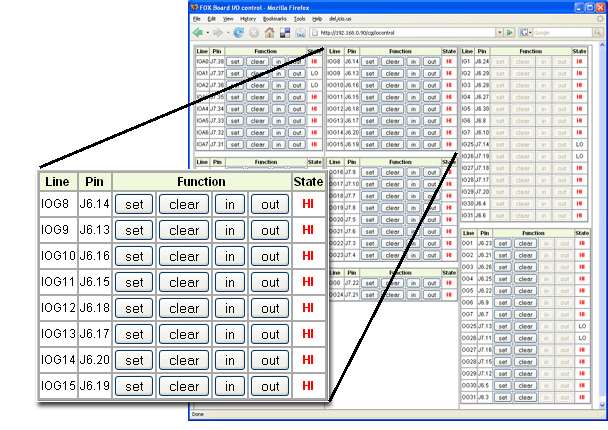
The iocontrol web page
|
How to install the iocontrol cgi
- Configure the BOA web server as explained on Setting up BOA to accept CGI
- Compile the C source code iocontrol.c
with Webcompiler or inside the SDK:
- Rename the executable file in iocontrol.cgi and save it in the cgi folder
- Access to the cgi web page from this URL:
The web page shown different I/O sections:
- Lines A0-A7 (configurable as input or output)
- Lines B0-B7 (configurable as input or output)
- Lines IOG8-IOG15 (configurable as a block of all input or all output)
- Lines IOG16-IOG23 (configurable as a block of all input or all output)
- Lines IOG0 and IOG24 (configurable as input or output)
- Lines IG1-IG7 and IG25-IG31 (fixed as input)
- Lines OG1-OG7 and OG25-OG31 (fixed as output)
For each block there is the line name, the physical pin on J6 or J7 and some buttons to set (3.3 volt)
or clear (0 volt) the line and configure it as input or output when applicable.
On every refresh of this page the state (HI or LO) of each input line is updated.
|
