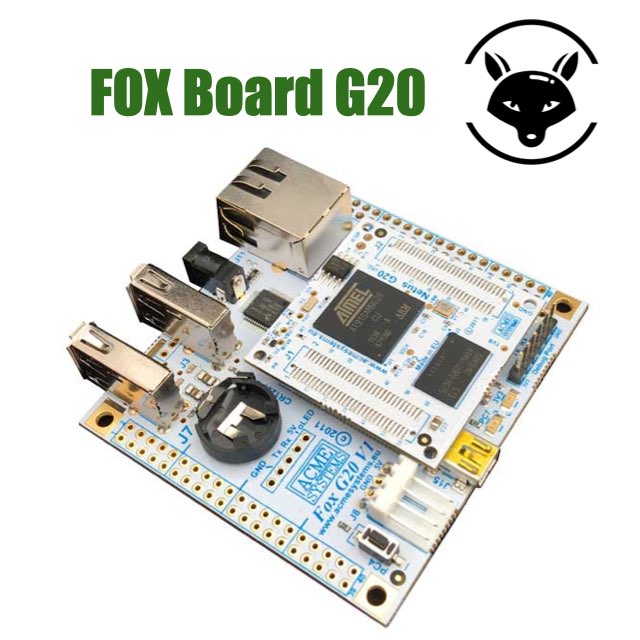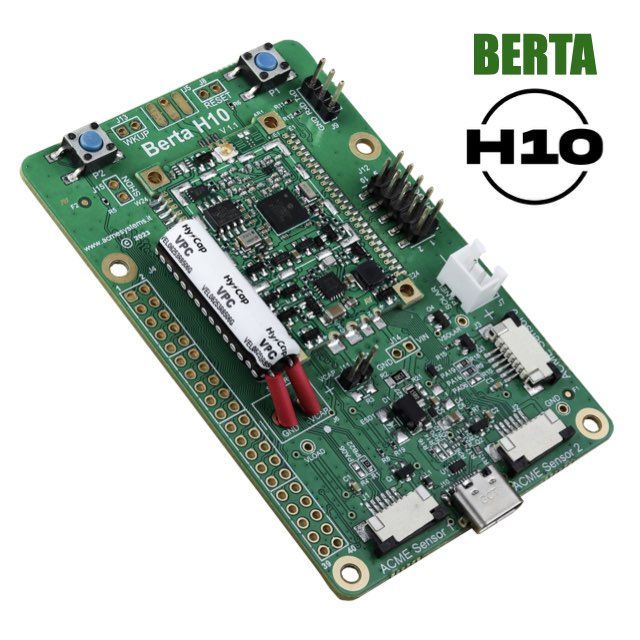
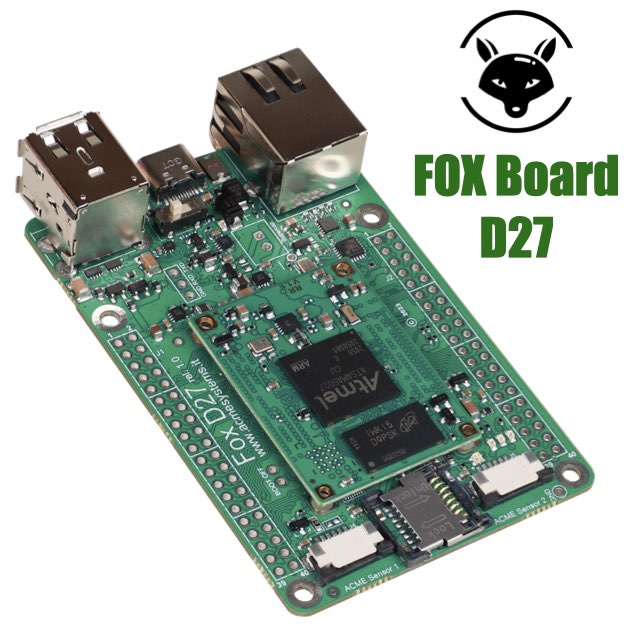

Welcome to the FOX Board G20 web site. Here you will find tutorials, examples, schematics, news, articles, links, forums, etc. related to the hardware and software aspects that will help you to design your own Linux embedded applications.
On the FOX Board G20 run a full features Debian Linux and a lot of in-board programming languages like C, C++, Python, Perl, PHP, Javascript, Lua and much more. Some of these languages are pre-installed on the default bootable microSD, some other are very easily to install using few commands.
Here is a list of the languages we have tried until now. Click on these icons to see an "Hello World !" example for any language.
C is the more classic and popular programming language that as ever existed. Developed in 1972 by Dennis Ritchie at the Bell Telephone Laboratories is the language used by Linus Torvals and the huge GNU community to create Linux itself and the most famous programs ever developed in the IT history
The king of C compiler, the GNU GCC, is installed by default on the FOX Board G20 so you can compile directly on the board your sources.
To try it save the following example on a FOX Board directory with the name hello.c.
#include "stdio.h"
int main(void) {
printf("Hello world !\n");
return 0;
}
Compile it typing:
debarm:~# gcc hello.c -o hello
Then lauch it typing:
debarm:~# ./hello Hello world !
C++ (pronounced "See plus plus") is a statically typed, free-form, multi-paradigm, compiled, general-purpose programming language. It is regarded as a middle-level language, as it comprises a combination of both high-level and low-level language features. It was developed by Bjarne Stroustrup starting in 1979 at Bell Labs as an enhancement to the C programming language and originally named "C with Classes". It was renamed C++ in 1983
In is possible to install the GNU GCC directly on the FOX Board G20 to compile locally your applications typing:
debarm:~# apt-get update debarm:~# apt-get install g++
Let try the compiler using this “Hello world !” source code example:
#include "iostream"
using namespace std;
int main(int argc, char *argv[]) {
cout << "Hello world !" << endl;
return 0;
}
Save it on your FOX Board G20 in a file called hello.cc the compile it typing:
debarm:~# g++ hello.cc -o hello
Then launch it typing:
debarm:~# ./hello Hello world !
Python is an easy to learn, powerful programming language. It has efficient high-level data structures and a simple but effective approach to object-oriented programming. Python's elegant syntax and dynamic typing, together with its interpreted nature, make it an ideal language for scripting and rapid application development in many areas on most platforms
The Python interpreter is installed by default on the FOX Board G20. To try it save the following example on a FOX Board directory with the name hello.py.
print "Hello world !"
Save and launch it typing:
# python hello.py Hello world !
Lua is a powerful, fast, lightweight, embeddable scripting language. Lua combines simple procedural syntax with powerful data description constructs based on associative arrays and extensible semantics. Lua is dynamically typed, runs by interpreting bytecode for a register-based virtual machine, and has automatic memory management with incremental garbage collection, making it ideal for configuration, scripting, and rapid prototyping.
Download the current Lua version 5.1.4 by typing:
debarm:~# wget http://www.lua.org/ftp/lua-5.1.4.tar.gz ... debarm:~# tar xvzf lua-5.1.4.tar.gz ...
Probably you need to install make to compile the Lua sources by typing:
debarm:~# apt-get update ... debarm:~# apt-get install make ...
Change into the Lua directory by typing:
debarm:~# cd lua-5.1.4
and install the package by typing:
debarm:~/lua-5.1.4# make ansi ... debarm:~/lua-5.1.4# make install ...
The Hello World example is stored in test/hello.lua directory:
io.write("Hello world, from ",_VERSION,"!\n")
To launch it type:
debarm:~/lua-5.1.4# src/lua test/hello.lua Hello world, from Lua 5.1! debarm:~/lua-5.1.4#
Thanks to Claus Kuehnel (www.ckuehnel.ch) and Daniel Zwirner for the contents of this article.
Perl is a high-level, general-purpose, interpreted, dynamic programming language. Perl was originally developed by Larry Wall, a linguist working as a systems administrator for NASA, in 1987, as a general-purpose Unix scripting language to make report processing easier
This is the "Hello world !" source code example.
print "Hello world !\n";
Save it with in hello.pl then run it typing:
debarm:~# perl hello.pl Hello world !
PERL is installed by default on the default Debian Squeezy Linux provided with the FOX Board G20 microSD.
PHP is a widely used, general-purpose scripting language that was originally designed for web development to produce dynamic web pages. For this purpose PHP code is embedded into the HTML source document and interpreted by a web server with a PHP processor module, which generates the web page document.
This is the "Hello world !" source code basic example.
echo "Hello World !" ?>
Save it with in /var/www/hello.php file then run it opening your browser on the FOX Board IP using this URL:
http://<fox_board_ip_address>/hello.php
PHP and Lighttp web server are already installed by default on the FOX Board G20 on Debian Linux distribution. If it is not installed on your FOX just type:
debarm:~# apt-get update debarm:~# apt-get install php
See the phpinfo() output generated by the default PHP installation.
A shell script is a script written for the shell, or command line interpreter. Typical operations performed by shell scripts include file manipulation, program execution, and printing text.
The shell scripting interpreter installed by default on Debian is the GNU bash..
This is the "Hello world !" source code basic example.
#!/bin/sh echo Hello world !
Save it with in hello.sh then run it typing:
debarm:~# chmod +x hello.sh debarm:~# ./hello.sh
Installed by default.
Java is a programming language originally developed by James Gosling at Sun Microsystems and released in 1995 as a core component of Sun Microsystems' Java platform. The language derives much of its syntax from C and C++ but has a simpler object model and fewer low-level facilities.
In this example we'll illustrate how to compile a "Hello world !" source on a host PC with Ubuntu Linux using javac and run the bytecode result on the FOX Board G20.
The example of code is the usually Sun example:
public class Hello {
public static void main(String[] args) {
System.out.println("Hello, world !");
}
}
Install the JDK on your Ubuntu PC using Synaptic. The package name is default-jdk and is the latest Open Source version of Java OpenJDK 6.
Compile the Hello.java file typing:
$ javac Hello.java
Open a terminal session on the FOX Board G20 and type:
debarm:~# apt-get update debarm:~# apt-get install default-jre
Go back to the Ubuntu terminal session and copy the Hello.class byte code to the FOX:
$ scp Hello.class root@:/root root@ 's password: Hello.class 100% 418 0.4KB/s 00:00 $
Go to the FOX and type:
debarm:~# cd /root debarm:~# java Hello Hello, world !
Yabasic (Yet Another BASIC interpreter) implements the most common and simple elements of the basic language; It comes with goto/gosub, with various loops, with user defined subroutines and Libraries. Yabasic is small (around 200KB) and free.
debarm:~# apt-get update debarm:~# apt-get install yabasic
print "Hello world !"
Save it with in hello.yab then run it typing:
debarm:~# yabasic hello.yab Hello world !
Node.js is an event-driven I/O server-side JavaScript environment based on V8 the JavaScript engine used in Google Chrome. It is intended for writing scalable network programs such as web servers. It was created by Ryan Dahl in 2009, and its growth is sponsored by Joyent, which employs Dahl (extracted from Wikipedia definition...).
Thanks to Antonio Galea Node.js is available also on the FOX Board G20. This article illustrates how to install it.
Be sure that the FOX can surf on Internet and update the Debian package index typing:
debarm:~# apt-get update ...
Download the Debian "Squeeze" package for ARMEL architecture typing:
debarm:~# wget http://www.acmesystems.it/download/packages/nodejs.tar.gz ...
Untar the file:
debarm:~# tar xvzf nodejs.tar.gz libev4_4.04-1_armel.deb libev-dev_4.04-1_armel.deb libv8-3.1.8.22_3.1.8.22-1_armel.deb libv8-dev_3.1.8.22-1_armel.deb nodejs_0.4.11-1_armel.deb nodejs-dev_0.4.11-1_armel.deb npm_0.2.19-1_all.deb
And install all:
debarm:~# dpkg -i *.deb
Probably during the installation you will obtain a lot of messages like this:
...dependency problems - leaving unconfigured...
Don't worry aboyut and go ahead. When finished type:
debarm:~# apt-get -f install ...
The requested library will be loaded and configure.
Launch the nodejs interpreter typing:
debarm:~# node >
At prompt ">" type console.log("Hello"); to see if it works.
> console.log("Hello");
Hello
Now we are ready to try the first nodejs example from its web site http://nodejs.org.
web1.jsThis is an example of minimal web server written in Node that responds with a "Hello World" message to every web request.
Install the playground directory with all the code examples available on this site following this article: FOX Board programming playground.
Then move into playground directory and type:
debarm:~# cd playground debarm:~/playground# cd javascript/ debarm:~/playground/javascript# node web1.js Server web running on FOX Board G20
Open a web browser and access to FOX URL on: http://fox_ip_address:81 to get the message "Hello World";
This is a list of hi-res photo useful for articles, catalogs, web pages, brochures, etc. Feel free to use them in your site, blogs and reviews.
Acme Systems provides this documentation "as is" without warranty or guarantees of any kind.
A great deal of effort has gone by the mantainers of this site into making this documentation as correct as possible but, due to the huge amount of info incoming from the developer communities, it's always under construction.
Acme Systems doesn't provide any direct support for the Open Source preinstalled software but provides, through these pages and forum posts, all the information to install, use and update the software environments runnable on the FOX Board/Netus G20 platform.
Please note that all the preinstalled softwares, used on the Acme Systems products, are Open Source and so you have to check by yourself the license terms provided by each author (usually the GPL) before use it in any commercial or not product.
This work is licensed under a Creative Commons Attribution-NonCommercial-ShareAlike 3.0 Unported License.
Before to send emails or call the Acme's staff (here are our contacts) please note that WE ARE HARDWARE DESIGNER and not Linux Gurus so could be better to post your questions directly to the forum listed below to be sure that all the contributors of this site and the large software developers community will read and reply to your questions.
Acme Systems srl - Via Aldo Moro 53 - 00055 Ladispoli (RM) - P.IVA/C.F. 08114831004
Tel. +39.06.99.12.187 - Fax +39.06.622.765.31 http://www.acmesystems.it -
Iscritta al Registro delle Imprese di Roma al n. 08114831004