Configure the Phrozen SDK
This article describes how to configure the Phrozen SDK and how to keep it updated from Acme Systems Subversion server
Main configuration menu
To configure the SDK for your FOX Board model, select the kernel version, load available applications and selected witch devices driver to install, type from the SDK root directory (i.e. /home/fox/devboard-R2_01):# make menuconfigIt will appear a screen like this:
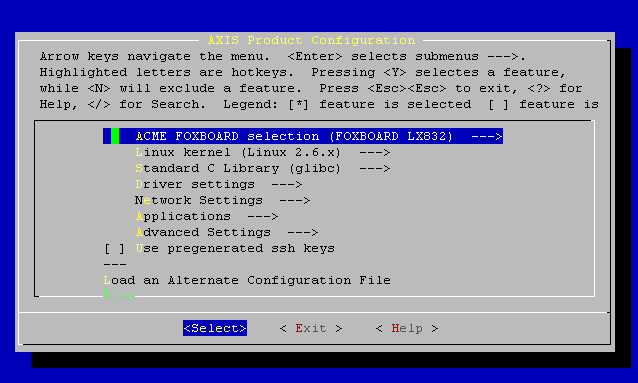
Select the desired options then Exit saving your modifications.
After that type:
# ./configure
### Selected product: "fox" ###
 * Using previously fetched packages... done
 * Using compiler "/usr/local/cris/bin/cris-axis-linux-gnu-gcc" (revision "R63").
 * Using previously fetched packages... done
 * Generating "Makefile"... done
Creating init_env...
Now you are ready to build the new flash memory fimage based on your selected options. To do that type::
# make
...
When the compilation ends it generates a file called fimage.
To transfer this file on the FOX Board flash memory type:
# make flash
For more info about memory flashing read this article:
Select the kernel options
To modify the deep kernel options type:
# make kernelconfig
This command has to be launched only after the successful generation of the first fimage through the make command:
It will appear a screen like this:
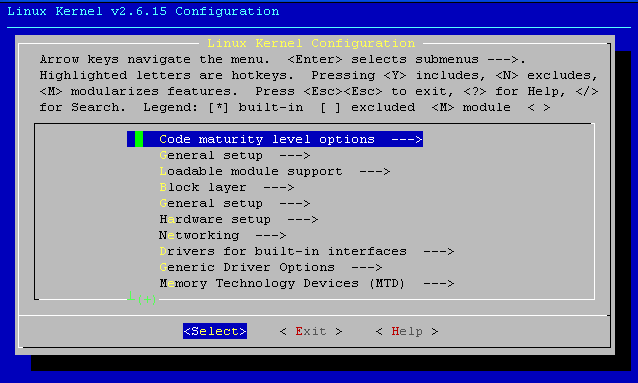
This command will enter inside the kernel options for the kernel chosen inside the make menuconfig command. No need to specify the kernel version chosen in the make menuconfig phase as in the previous SDK.
Select the Busybox options
Busybox "is a multi-call binary that combines many common Unix utilities" (like ls, mkdir, mv, wget, etc.) "into a single executable". To select which utility include in the final executable type:
# make busybox
It will appear a screen like this:
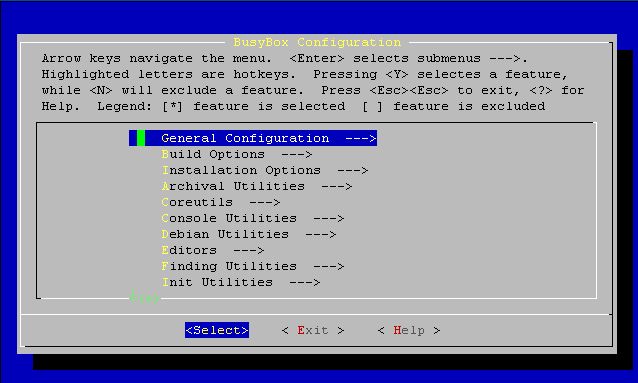
After having changed the desired options and exit saving them, a standard make command will recompile the fimage for your FOX Board with the new commands and busybox utilities options chosen.
Saving personal settings
A very useful script to store complete options and configurations for kernel, busybox applications and drivers desired for a particular specialized image is acme_config
It can be used both to save a set of custom options made with the SDK or to retrieve a desired set among a selection list.
To save the contents of the files:
- .config
- .config.busybox
- kernelconfig
- kernelconfig-2.6
that represent together the entire number of options that can be choosen in the SDK various configurations, invoke this command:
# ./acme_config save name_of_my_options
With mySpecialFoxOption we mean a particular name that can be of meaning for your particular set of options chosen.
To recall a particular set of options you just invoke:
# ./acme_config *** Setup a default configuration of the SDK *** ================================================ Select wich default configuration you would like to use. It is possible to add your own configuration by doing a acme_config save. Saved configurations: 1. bluetooth-2.6 2. fox-vhdl 3. fox-vhdl-nofb 4. linux-2.4-default 5. linux-2.6-default 6. php-2.4 7. webcam-2.4-B1 8. wifi-2.4-B1 9. wifi-2.4-C1 10. wifi-2.6-B1 11. wifi-2.6-C1 * Which configuration would you like to use ? :
We already arranged several set of options for the most common uses of the Fox software environment. You can use one of them as a starting point from where start to make your additions/variations and then save your work with another configuration name.
Choosing the desired option set and obtain the fimage relative to the option set chosen typing:
# ./configure
...
# ./make
...
